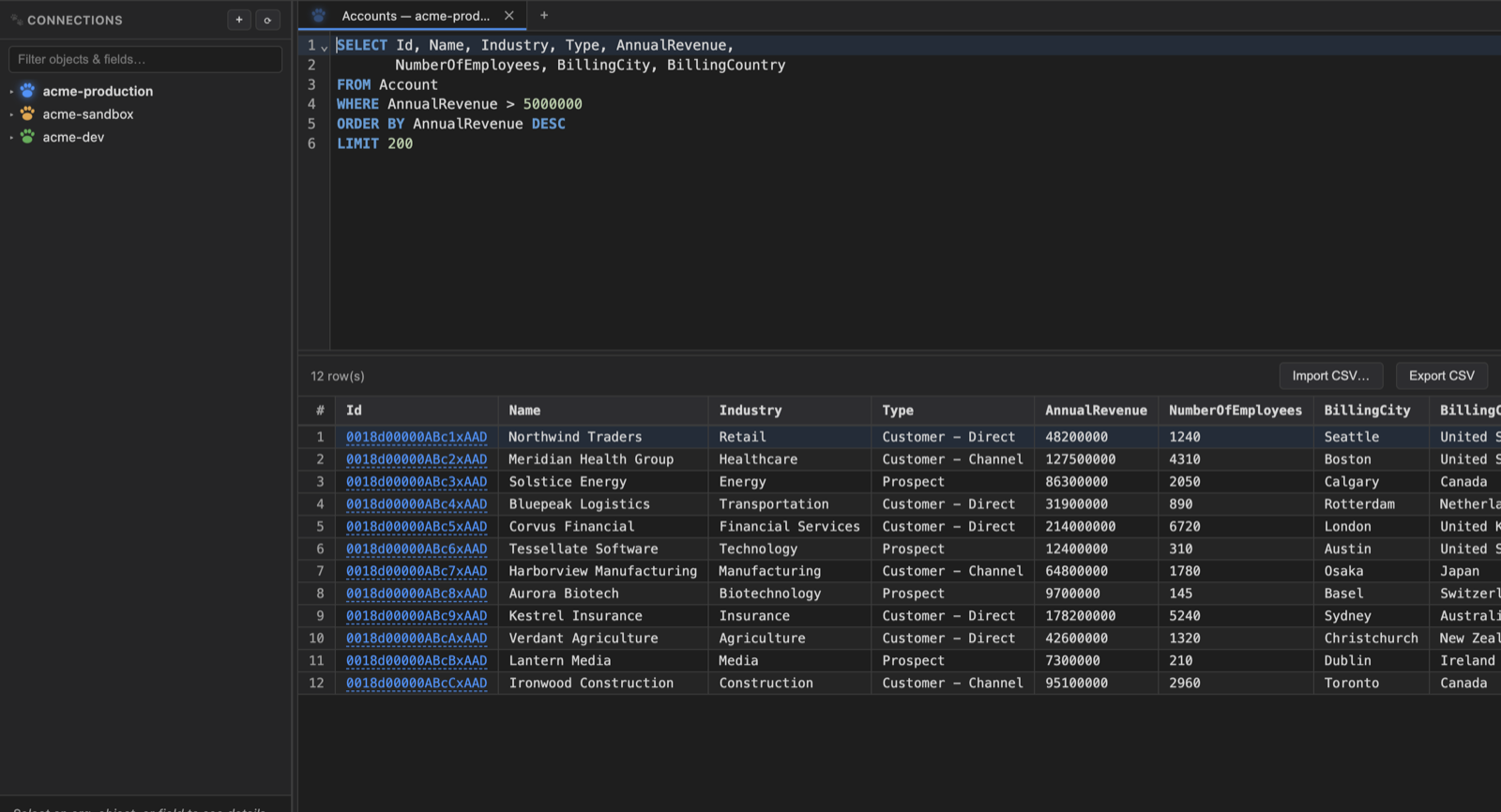
SOQL editor with autocompletion
Object and field names from your actual org, including relationship traversal and child subqueries. Syntax highlighting, formatting, searchable history, saved snippets, quick object search, and query plans.
SELECT *
Write SELECT * FROM Account and DataPaw sends the real field list. Cmd/Ctrl+Alt+E rewrites it in the editor instead, so what you copy elsewhere is portable SOQL. It leaves out the fields SOQL won't accept, since one of those fails the whole query rather than just itself, and says plainly when an object is too wide to ask for in one go.
Lazy-loaded results
Pages through results using the API's own cursor. Multi-query scripts open closable result tabs, labelled by object, without waiting for a full download.
Inline editing
Double-click a cell to edit it. Typed editors for picklists, dates, checkboxes and numbers, written straight back through the REST API.
Record inspector
Click any Id to see every field on that record, then follow lookups from record to record with a back trail.
Compare two orgs
Objects and fields, validation rules, Apex and flows, diffed across any two connections. Flows compare structurally, so moving a node on the canvas isn't reported as a change. Export what differs as an MDAPI package with the deploy command ready to run.
Copy data between orgs
Seed a sandbox from another org without hand-editing CSVs. Choose objects and record limits, pull in required dependencies, remap lookups to newly-created target records, match users where possible, and optionally upsert on a DataPaw source-id field so the copy is re-runnable.
ER diagrams
Pick a set of objects and get a laid-out relationship diagram, with master-detail and lookups distinguished. Drag nodes, zoom, explore.
Bulk data operations
Insert, update, upsert and delete via Bulk API 2.0, from a CSV or straight from your current results. Before committing, DataPaw samples the target records and shows a typed before/after preview so numbers, booleans, Ids and multipicklists compare correctly. Live progress and failed rows are exportable.
Colour-coded connections
Every org gets a colour by risk and a PROD / SANDBOX / SCRATCH badge, on its row and on every script tab bound to it. Turn on a confirmation prompt for the ones you'd rather not run against by accident.
Live API limits
Daily REST and Bulk usage in a dock that stays open, refreshes itself, and highlights when you're close to the ceiling.
Session persistence
Open tabs, their queries, org bindings and current results all survive a restart. Save named sets of tabs as workspaces and switch between them.
Missing-field checks
Before copying data, DataPaw compares the source rows against the target schema, drops fields the target cannot accept, and can create supported missing custom fields with field-level security so one stale column does not fail an entire object.
It won't hammer a dead session
An expired Salesforce session never fixes itself, so every retry is another failed sign-in, and enough of those can lock a Salesforce account. DataPaw stops using a connection once it knows the session is dead, marks it in the sidebar, and waits for you to sign in again. Other connections carry on unaffected.
Tells you about new versions
Checks for a new release when it starts and shows what changed, with a download link. Quiet otherwise: no "you're up to date" every morning, and nothing at all when you're offline. You can skip a release without silencing the next one.
Nothing to set up
Reuses the orgs you've already authenticated with the Salesforce CLI, or logs into new ones from inside the app. No CLI yet? DataPaw installs its own copy. No admin password, no Homebrew, no terminal.
Twenty-four themes
Dracula, Nord, Solarized, Gruvbox, Tokyo Night and the rest of the familiar ones, plus a quieter set built for long sessions: near-neutral backgrounds, low colour, and a High Contrast option for bright rooms. Picked from the native app menu.