Independent software for Salesforce people

Salesforce work deserves better than another browser tab.

XenShift Labs builds fast, focused desktop tools for admins, developers and consultants who spend real time inside Salesforce orgs: writing SOQL, checking data, comparing schema, seeding sandboxes, moving records, and switching contexts all day.

Native desktop app Your data stays local Built for daily use
🐾 DataPaw
Available now

A native Salesforce client for macOS and Windows. Browse every org, write SOQL with autocompletion, history and SELECT * (which Salesforce itself doesn't have), edit records inline, compare orgs, inspect schema, run Bulk API jobs, and copy data from one org to another from one workspace.

SELECT * SOQL history Result tabs Inline edits ER diagrams Bulk jobs Copy org data
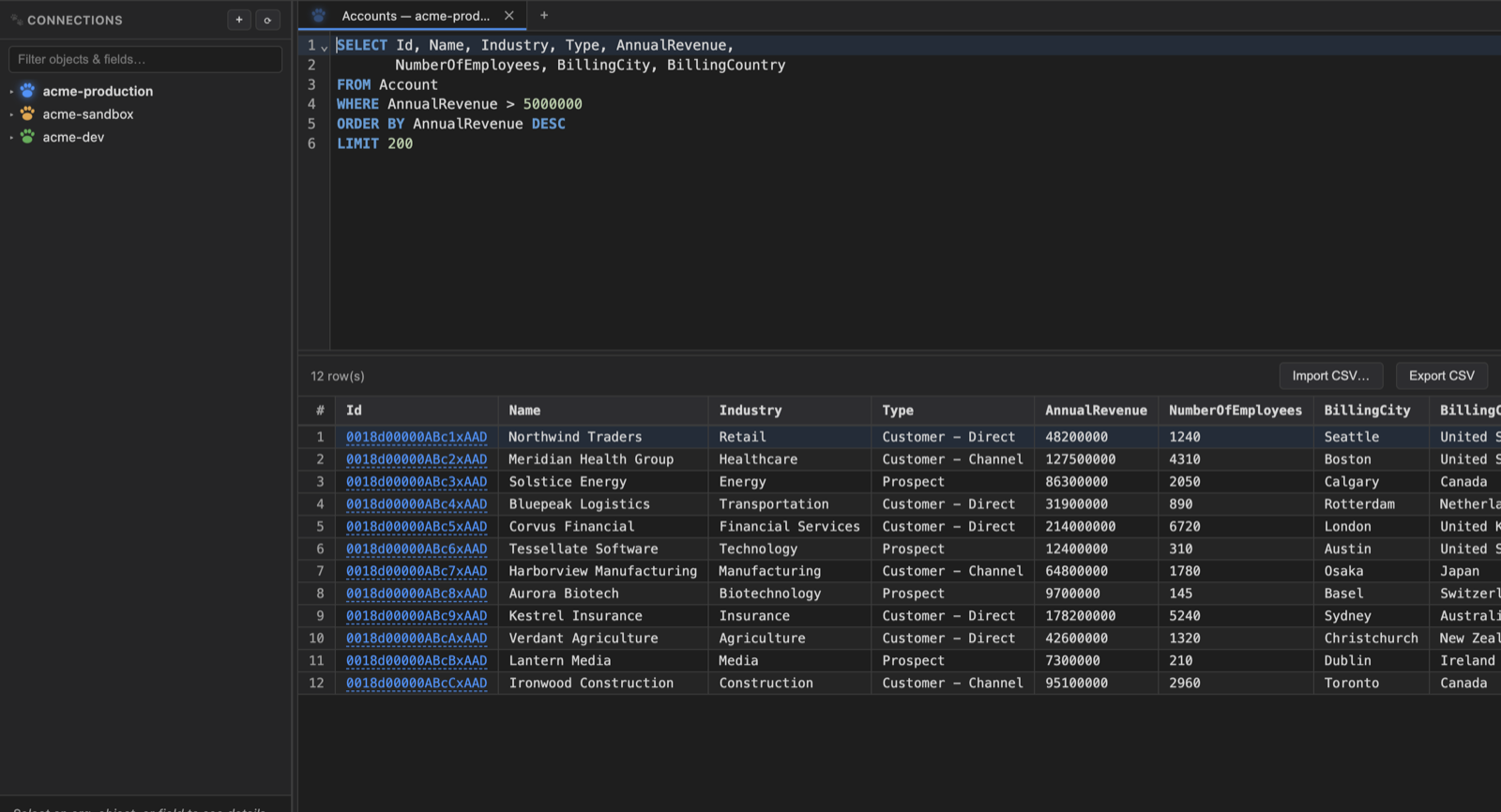
DataPaw showing connected Salesforce orgs, a SOQL editor and a results grid.

What we care about

Small tools, sharp edges removed.

We are not trying to build a giant platform. We build opinionated desktop software for the parts of Salesforce work that are too repetitive, too risky, or too slow in a browser.

Fast on real orgs

Features are tested against large, messy Salesforce orgs, not just toy demos.

Respectful by default

Customer data stays on the user's machine. Telemetry is opt-in and scrubbed.

Desktop-native workflow

Tabs, menus, keyboard shortcuts, persistence and long-running work belong in a real app.

About XenShift Labs

An independent software company, starting with Salesforce.

XenShift Labs builds and sells its own products rather than doing consulting or contract work. That keeps the feedback loop simple: the people using the software are the people we answer to.

DataPaw is the first product because Salesforce professionals have deserved a proper desktop database-client-style tool for years. More tools will follow the same rule: practical, focused, and built for the way work actually gets done.

Contact

Talk to the person who builds it.

There's no ticket queue and no support tier. Email reaches the developer directly, and questions about how something works get answered by the person who wrote it.

Worth writing about: a bug, something that behaves differently against your org than you expected, a feature you keep reaching for and can't find, or anything to do with billing, invoices and refunds. Bug reports are most useful with your operating system, the version from About DataPaw, and what you were doing at the time.

support@xenshift.com

Cancelling, changing a card and downloading invoices don't need us at all. They're self-service in the customer portal, which is also where your licence key lives if you lose it.